technologyvideo-callsstaying-connected
One Family, Every Screen: Video Calling on Phone, Tablet, and TV
Your parent may be most comfortable with a tablet, the living-room TV, or the phone already in their pocket. Here is how to meet them on the screen they already love.
Listen
0:00 / 0:00
There is no single "right" device for an older adult. The right one is whichever they already feel at home with. For one parent that is the tablet on the kitchen table. For another it is the big television in the living room. For a third it is the phone they already carry. The goal is not to convince them to adopt your favorite gadget. It is to bring family to the screen they already love.
Match the screen to the person
Each device suits a different life:
- The phone is portable and personal — good for a parent who is out and about, or who is already comfortable with the one in their pocket.
- The tablet offers a bigger, easier screen and props up on a stand for hands-free calls. It is often the sweet spot for kitchen-table connection.
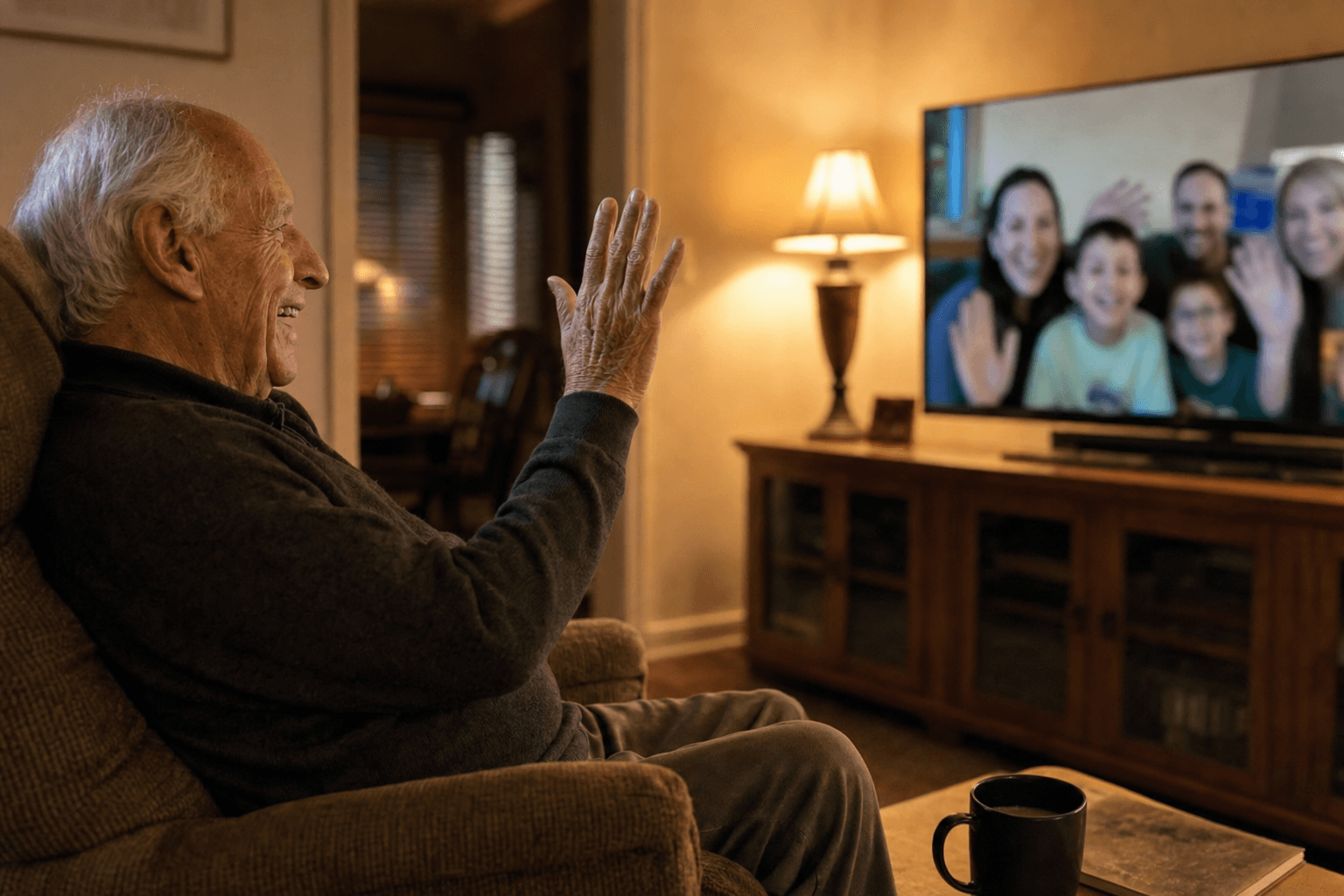
- The TV is the largest, most familiar screen in the house, and it sits where your parent already relaxes. For a grandparent who finds small screens fiddly, seeing the grandchildren life-size in the living room can be magic.
- The computer still works well for a parent who has used one for years and finds it comfortable.
There is no hierarchy here. The best form factor is simply the familiar one.
The TV deserves special mention
The living-room television is underrated for keeping families close. It is already there, already familiar, and already where your parent spends comfortable hours. Seeing a grandchild's face filling the big screen, controlled with a simple remote rather than a fiddly touchscreen, can feel less like "using technology" and more like the family stopping by. For grandparents who find tablets small or fussy, TV mode can be the thing that finally clicks.
Why continuity matters
Here is the trap families fall into: a separate app on the phone, a different one on the tablet, a third thing for the TV — each set up alone, each forgotten differently. The clutter defeats the purpose.
What you actually want is continuity: the same family faces, the same conversations, the same photos following your parent across whatever screen they pick up. Set it up once, and it is simply there everywhere. Nothing to rebuild, nothing to re-learn.
This is a core idea behind Nana Chat. The same Circle of family faces appears on the tablet, the phone, the TV, and the computer alike — managed once by the family, available everywhere for the elder. Your parent does not think about devices at all. They just see their people, on whatever screen is in front of them, and tap to connect.
Set it up around their day
A practical tip: place the device where your parent's life already happens. The tablet on its stand where they have morning coffee. The TV setup by their favorite chair. The phone within easy reach. Connection should slot into existing routines, not ask your parent to build new ones around it.
Key Takeaways
- There is no single right device — the right one is whichever your parent already finds familiar.
- Phones, tablets, TVs, and computers each suit a different life; match the screen to the person.
- The living-room TV is an underrated, comfortable screen for seeing family life-size.
- Aim for continuity: the same faces and conversations across every screen, set up once.
- Nana Chat keeps one family Circle available on every device, so your parent never thinks about technology.
A few words explained
- Multi-device
- Being able to use the same service across different screens — phone, tablet, TV, computer — without setting it up separately each time.
- TV mode
- Using the television as the screen for video calls, with large visuals and remote-friendly controls suited to the living room.
- Continuity
- When the same contacts, photos, and conversations follow a person across all their devices, so nothing has to be rebuilt on each one.
- Tablet stand
- A holder that props a tablet upright for hands-free calls, making conversation comfortable and natural.
- Smart TV
- A television that connects to the internet and can run apps, sometimes including video calling.
- Form factor
- The size and shape of a device. The best form factor for an older adult is whichever one already feels familiar and comfortable to them.
- Hands-free
- Being able to talk without holding the device, which is gentler on tired or arthritic hands and feels more like a real visit.
Continue reading

technologyvideo-calls
How to Set Up a Tablet for an Elderly Parent (Step by Step)
A tablet can open up video calls, photos, and connection — but only if the setup is done right. Here is a calm, practical guide to getting it ready before you hand it over.
4 min read

technologyvideo-calls
Teaching Your Parent Video Calls Without Tears (on Either Side)
Teaching an older adult new technology can be frustrating for both of you. With the right pace and a few small tricks, it can be patient, kind, and even fun.
4 min read